Pay with Swish by scanning the QR code
 Listening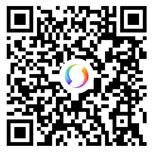
Do this:
- Open the Swish app.
- Press "Scan" and point the camera over the QR code.
- Confirm and sign the payment with mobile BankID.
Give your dividends to Erikshjälpen and increase the value of the gift up to 43 percent. The gift is tax-free, which means that the entire sum goes to Erikshjälpen's work for children's rights.
To avoid the tax, the dividend needs to be donated before you as a shareholder receive the dividend in your hand.
Forms for transferring dividends entitlements are also available from your bank or the institution with which you have a securities account.
Listed companies announce what they plan to pay in dividends.
Change the beneficiary of your dividend using the form "Notification of right holder/beneficiary for Vp account" linked above.
The general meeting decides on dividends to shareholders.
Approximately six days after the General Meeting, the dividend is paid out via VPC. If your Shares are in a VPC account, we will be notified by VPC that you have made a gift.
When you give away Securities, Shares or dividends , neither you nor we pay any capital gains tax, so your gift increases in value by up to 43%.
Published: 23 March 2026